Showing posts with label CSE STUFFS. Show all posts
Showing posts with label CSE STUFFS. Show all posts


 Labels:


Sep 17, 2010
| 1. Install the software DOSBox ver 0.73 : download here |
| 2. Create a folder,for example „Turbo“ (c:\Turbo\) |
| 3. Download and extract TC into the Turbo folder (c:\Turbo\): download here |
| 4. Run the DOSBox 0.73 from the icon located on the desktop: |
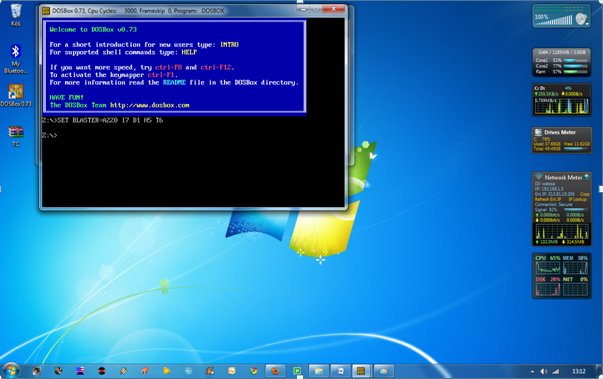 |
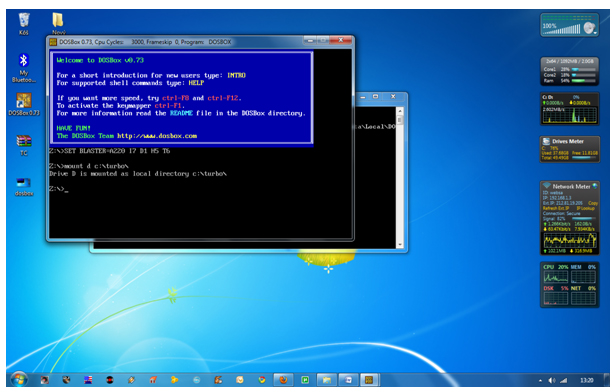
5. Type the following commands at the command prompt [Z]: mount d c:\Turbo\ [The folder TC is present inside the folder Turbo] |
Now you should get a message which says: Drive D is mounted as a local directory c:\Turbo\ |
 |
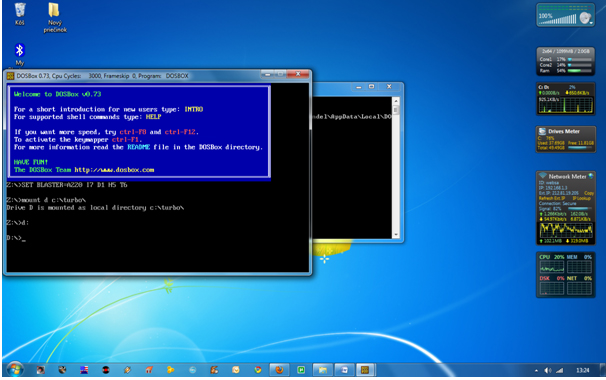
| 6. Type d: to shift to d: |
 |
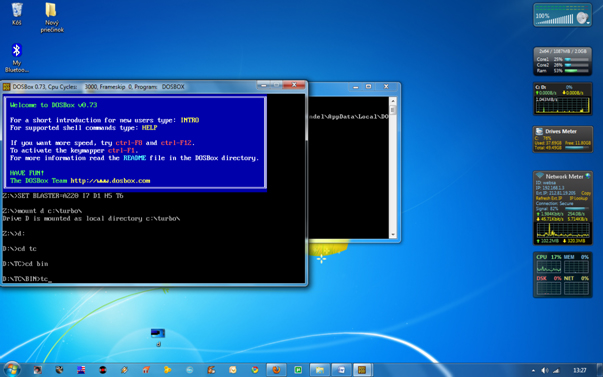
| 7. Next follow the commands below: cd tc cd bin tc or tc.exe [This starts you the Turbo C++ 3.0] |
 |
8. In the Turbo C++ goto Options>Directories> Change the source of TC to the source directory [D] ( i.e. virtual D: refers to original c:\Turbo\ . So make the path change to something like D:\TC\include and D:\TC\lib respectively ) |

Subscribe to:
Posts (Atom)

